
Pointman Pro supports Streetview for all features.
-
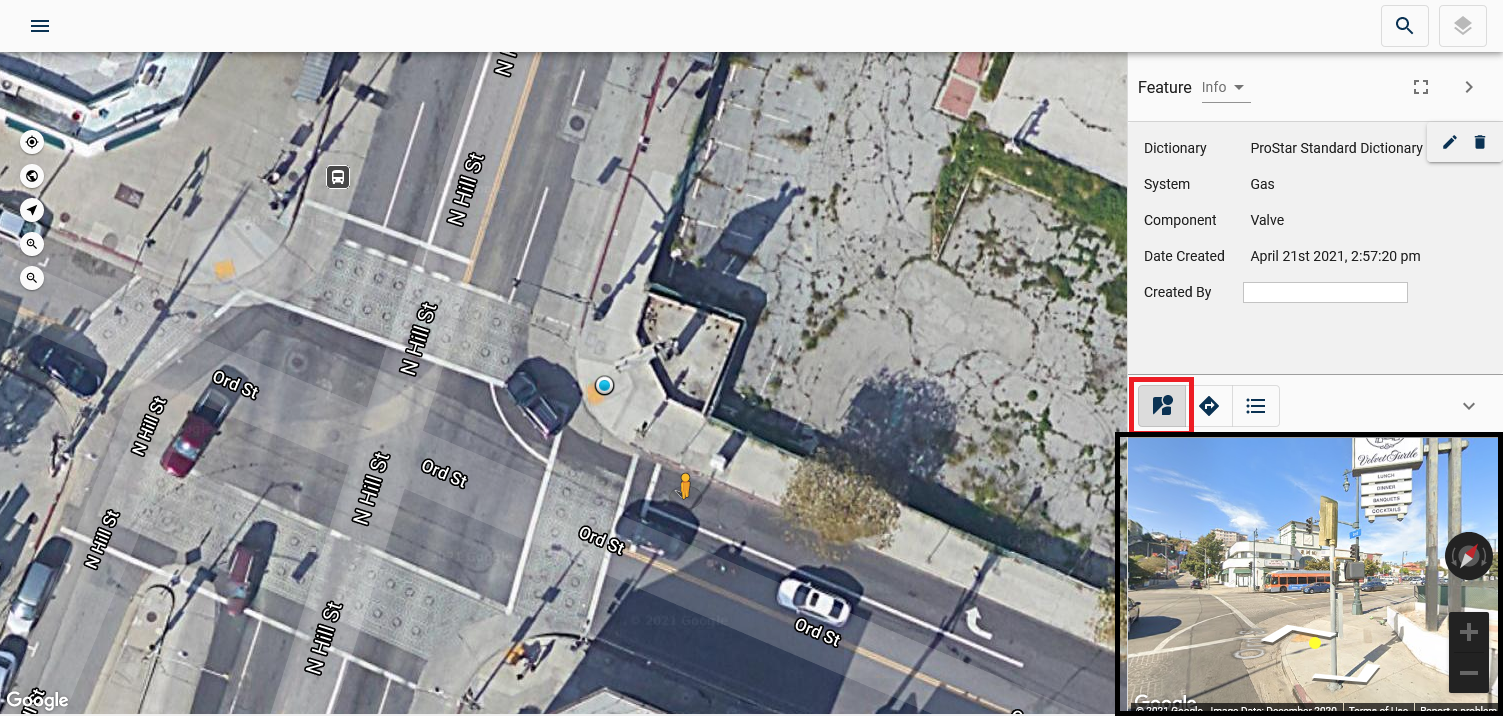
Select the feature that you wish to view. A side panel will open on the right.
-
Under the Feature panel, there is a secondary panel.
-
Select the Streetview icon
-
If there is street view information available, it will be displayed on the bottom of the side panel.
-
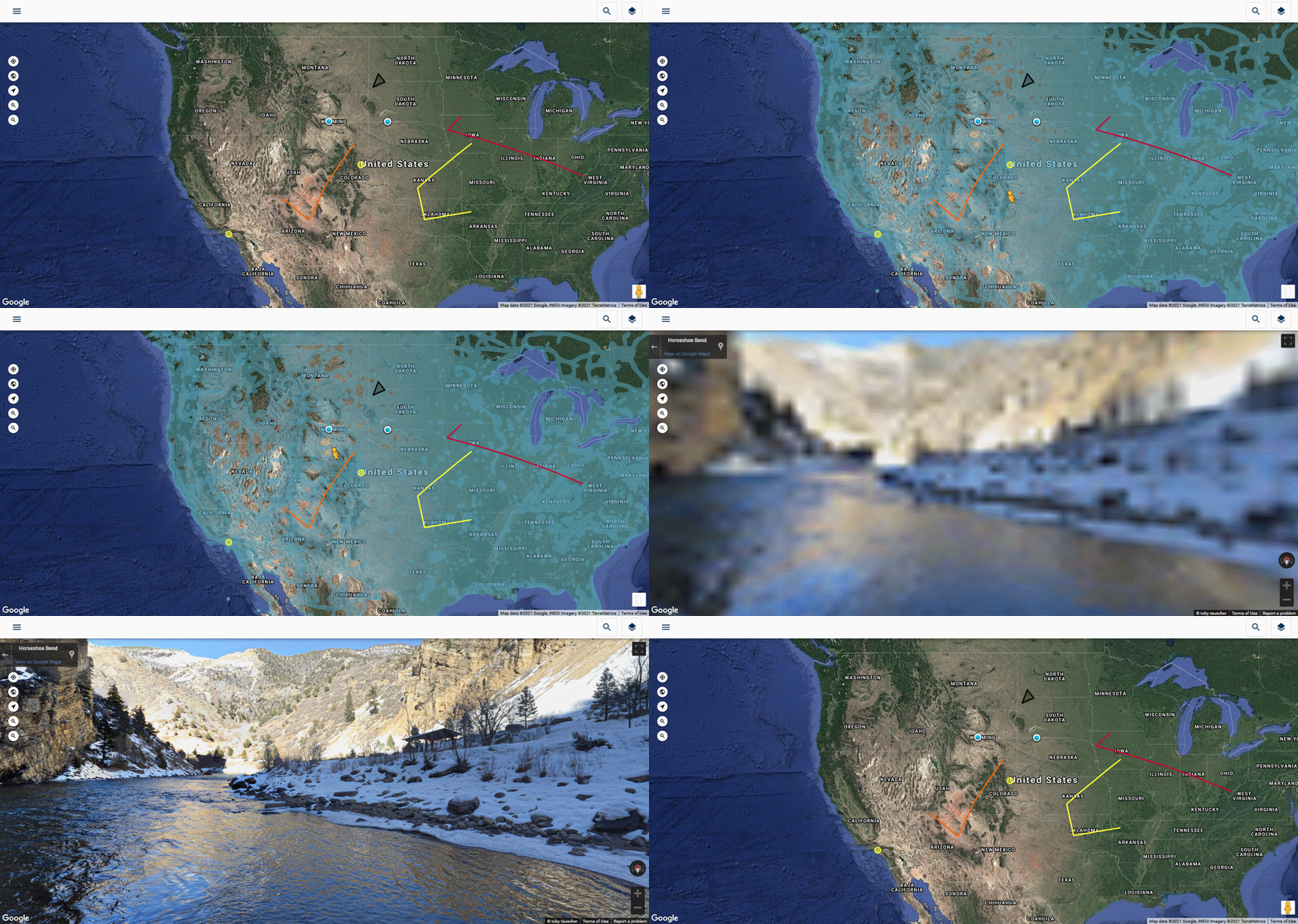
You can also use the street view option using the Pegman Drop icon located at the bottom right of the screen.
-
Drag and drop the icon at your desired location on the map, and you will be able to see the area on a live map.
-
To exit, click the back arrow located at the top left of the app. Click View on Google Maps to view on Google Maps.
-
Enter full screen by hitting the fullscreen icon at the top right, and to exit, hit ESC on your keyboard.