
Note: While any Admin may add new users, only the System Admin may purchase additional users.
-
To access the self-serve portal, go to Manage Subscription from the PointMan Web interface.
-
Click your subscription to view the details.
-
Click Edit Subscription.
-
To add other user types, click Add Addons. Otherwise, use the quantity selector to adjust the number of user seats for the desired user type.
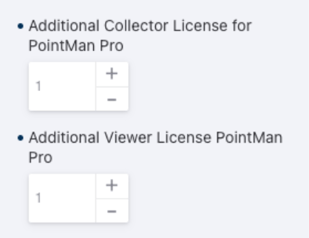
- User seats purchased mid-subscription will be prorated.
- Click Update Subscription.
- Click the Back button at the top left to return to the Main Portal Menu. Then Exit to return to the Cloud Environment.
- You may need to refresh your browser tab or log out and back in before creating a new user.
For questions or issues
For assistance with modifying your subscription details, please contact your PointMan Account Executive.
For assistance with updating billing details or payment methods, please contact PointMan Support.
- Email: [email protected]
- Phone: (970)509-4544
- Business Hours: 8:30am to 4:30pm MT, Monday through Friday