
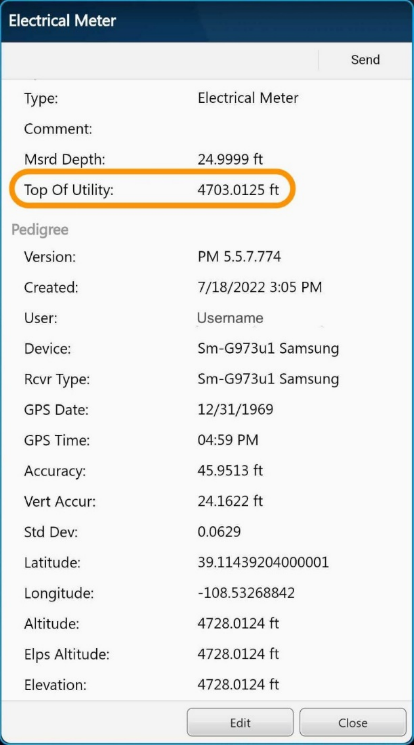
This measurement records the depth from Earth’s surface to the top of the buried utility. This field is calculated using the entered Depth measurement.
- Formula: Top of Utility = Elevation – Measured Depth
Note: This measurement is available for Point features only.
-
Go to the PointMan Settings app of the mobile app and scroll down to the Map settings.
-
Enable the following option: “Show Measured Depth option on move” and return to the Map View.
-
If you already have a Point feature that you would like to add the Top of Utility measurement to, tap to select the Point feature, tap Details, and skip the bullets listed for this step below. Otherwise,
-
Tap New and select the Point feature to collect. Tap OK.
-
Move to the location, but don’t tap Finish yet.
-
-
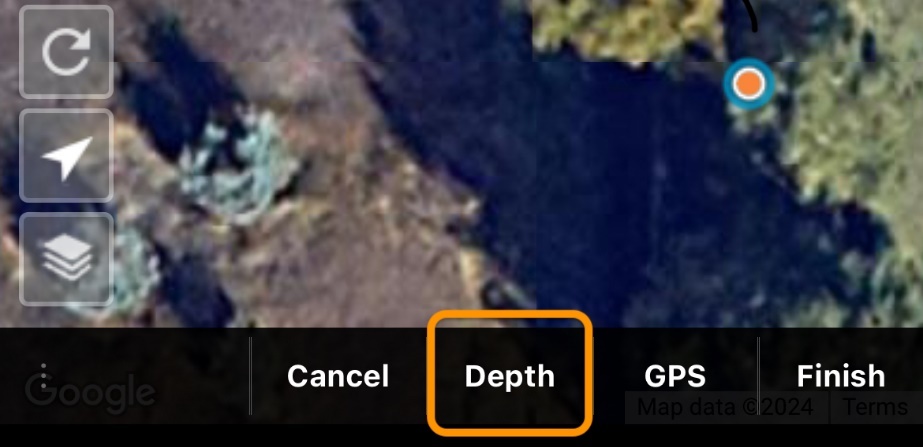
Tap the Depth button listed in the bottom bar.
-
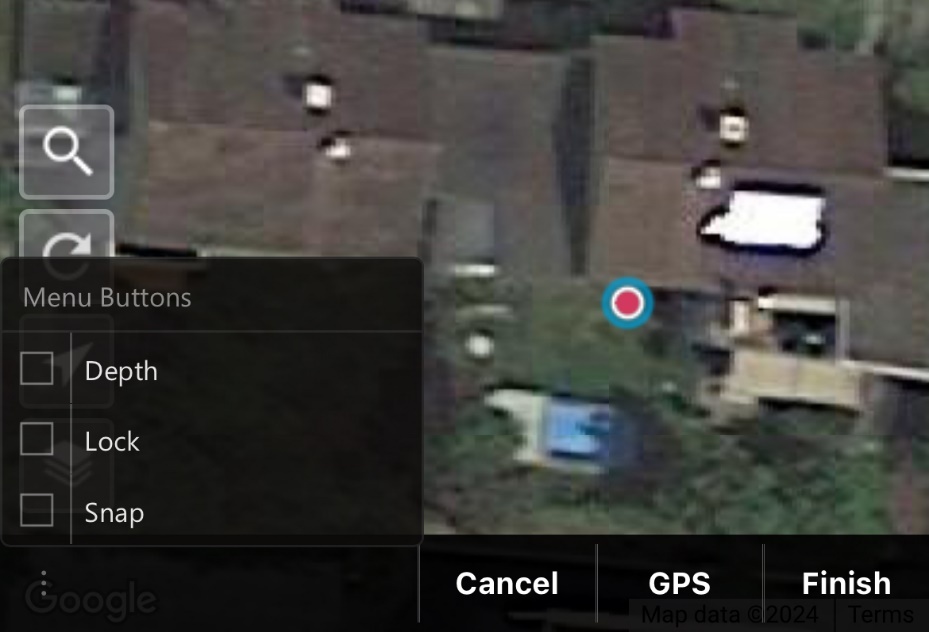
If the button is not already there, you will need to add it – Tap the 3 dots icon to open the More menu.
-
Check the box for Depth.
-
Tap anywhere to close out the More menu and then tap Depth.
-
-
Input the Depth measurement and tap OK. Then tap Finish to save the Point.
-
With the feature still selected, tap Pedigree to view the entered Depth measurements.
-
Note*: The Image below does not contain accurate location readings and is meant only for the purpose of showcasing how the value will be displayed in PointMan.*
-
-

Troubleshooting
Note about Uninstalling PointMan: If you are a PointMan Plus user, uninstalling the PointMan app will remove all project data stored on your device. It is important to backup any project data before uninstalling the mobile app.
For questions or issues, please fill out the request form (https://pointman.com/custom-support/) or send an email to [email protected] and include the following:
-
Brief description of what you are experiencing
-
Include screenshots / screen recordings showcasing the issue if any
-
Include supporting data files showcasing the issue if any
-
-
The devices you are using and if you have anything set in the GPS settings
- ex: GPS, Locator, Mobile Device, EPSG, Correction Service, etc.
-
List of steps that were already taken to troubleshoot the issue
The PointMan Support Team is available from 8:30am to 4:30pm MST Monday through Friday.