
Overview
This section outlines out to pair the Subsite Utiliguard Advanced+ 2 to PointMan and use it collect depth readings for utilities
For Android: Minimum required version is Android 7.1
For iOS: Minimum required version is iOS 12.3
Pairing Procedure
- PRESS AND HOLD the power button on the Subsite tool as seen below
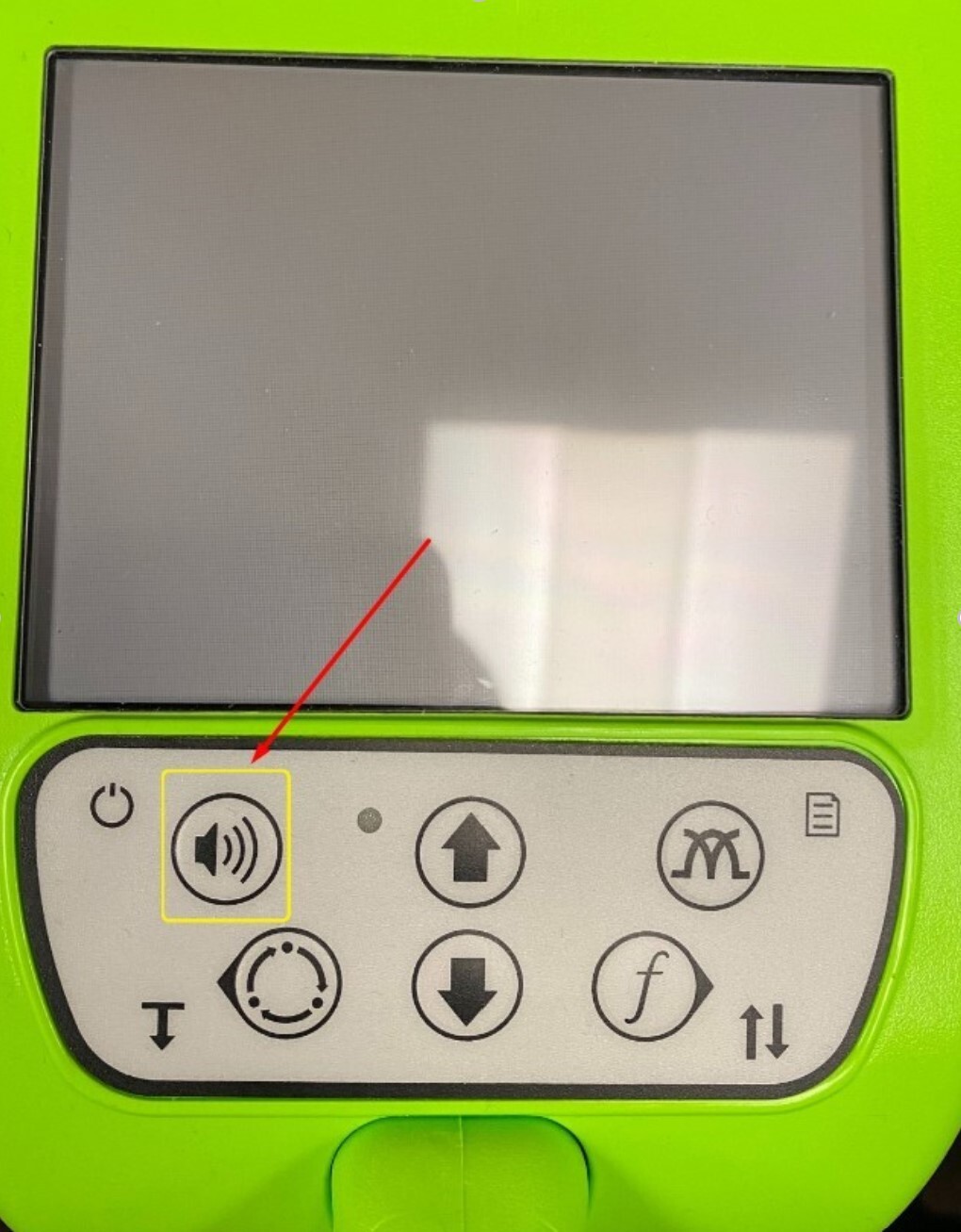
-
Open PointMan and log into a project
-
Tap the menu and then tap Settings
-
Tap "Configure Bluetooth"
-
If Bluetooth is off, turn it on and pair to the Subsite tool
-
Once paired, go back to PointMan and select the Subsite tool under the "Locator" dropdown
-
For the type, select "Subsite"
-
Tap Close to close the PointMan settings page and return to the map display
Collecting Data in PointMan w/ Subsite
-
After you have paired the tool, tap the New button on the top right corner of the screen
-
Select the feature you wish to locate
-
Tap OK
-
If the GPS button is black, tap it to turn it on (Orange means on)
-
On the tool, press and hold the "Force Depth" button as seen below
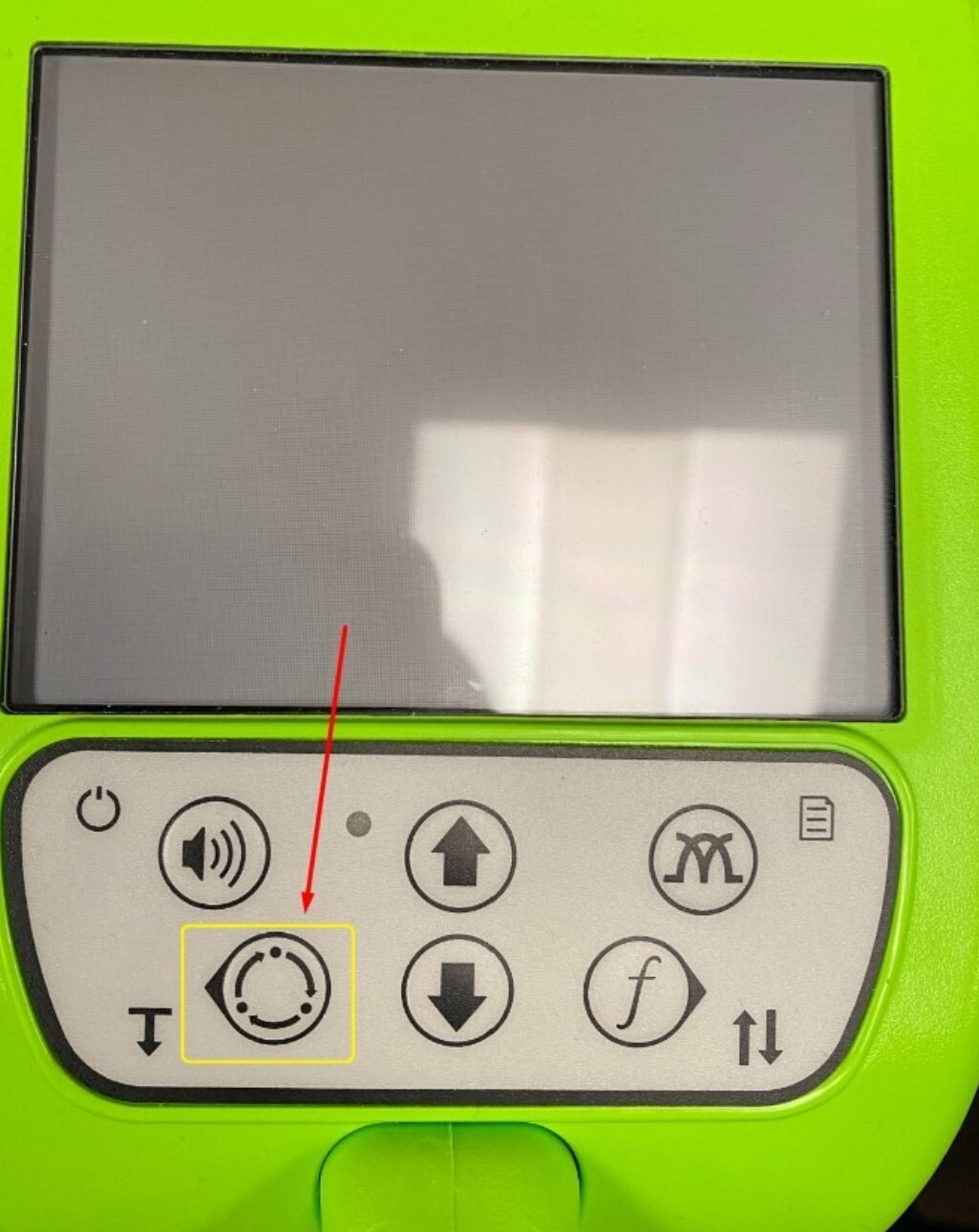
IMPORTANT: You must have the following for the Subsite tool to collect:
- A valid depth (cannot be empty)
- Less than 95% signal strength. Somewhere between 70% and 90% is ideal
- You must hear a beeping noise from the Subsite tool
If you hear the noise, see a depth on the tool and the signal strength is less than 95%, PointMan will collect the depth but WILL NOT COLLECT if any of these conditions aren't met