
Feature Lock is only available for Point feature types. It allows users to capture the same Point repetitively without needing to reselect the system and component each time.
Feature Lock must first be enabled via the PointMan Settings page
-
Tap the Menu icon on the top left corner of the map screen
-
Tap Settings
-
Check the box marked “Show feature lock option on new placemark”
-
Tap Close to return to the Map View
To use the product feature
-
Tap New
-
Select a system and component for a Point
-
Tap OK
-
If you do not automatically see the Lock button in the bottom bar, it will need to be added. Otherwise, skip this step.
-
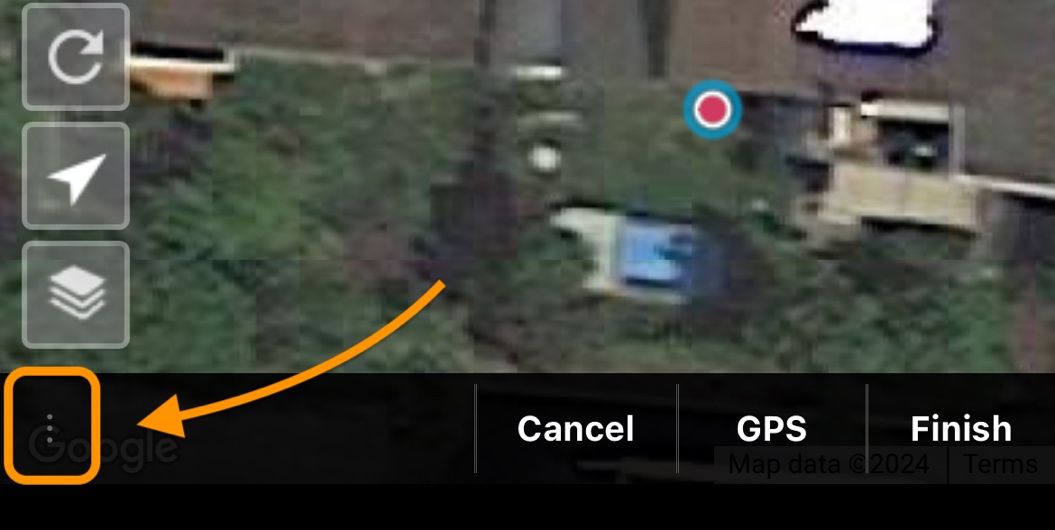
Tap the More button that is located on the left side of the bottom bar.
-
-
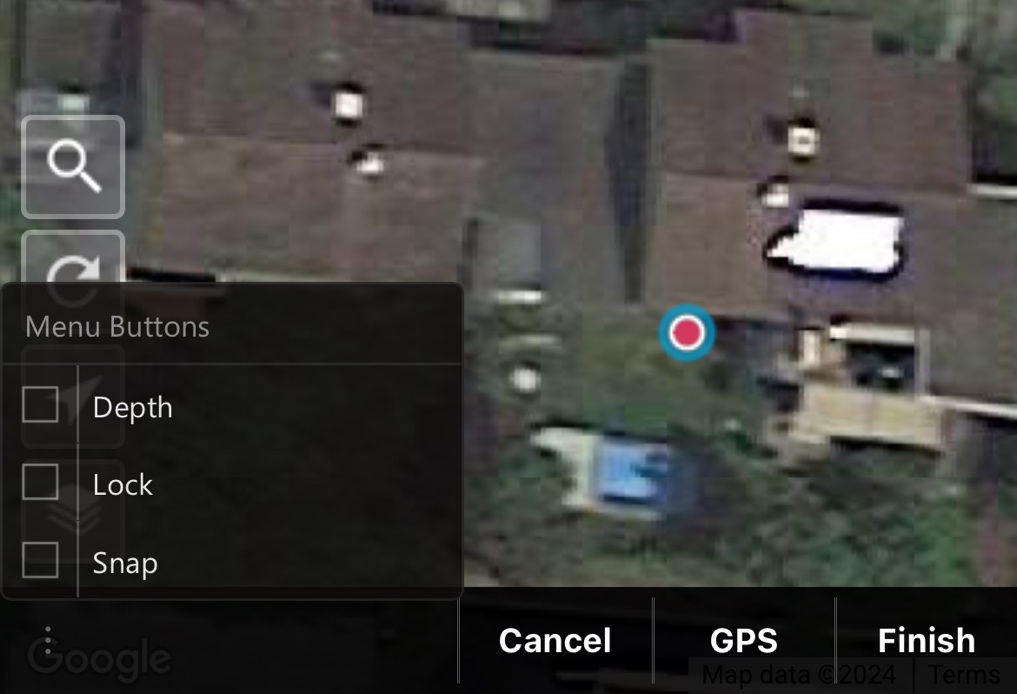
Check the box for “Lock”
-
-
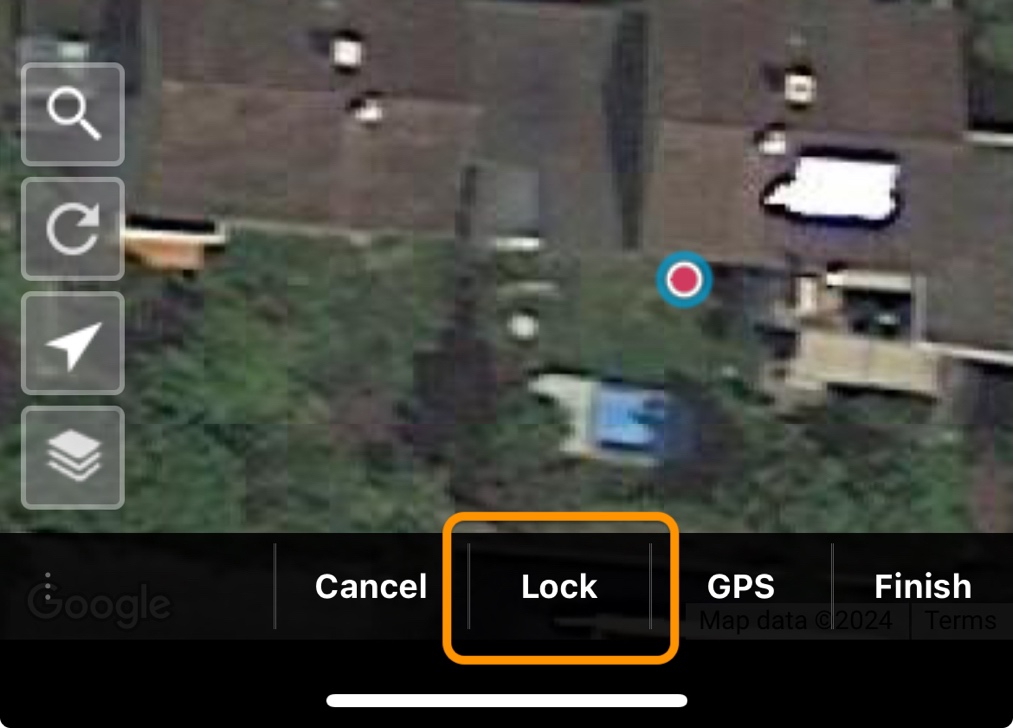
Tap anywhere to close the More menu and the Lock button will be added to the bar.
-
-
-
Tap the Lock button to enable/disable the product feature. It will be orange when enabled.
- Notice that the Finish button now becomes an Add button.
-
When the point is in the right location, tap Add to save it to the map – the screen will blink after saving.
-
You may now move to the next location and tap Add to save another point. The screen will blink again, and the steps can be repeated to add as many points as needed.
-
Once the last point is ready to be saved, tap the Lock button to disable it. Then tap Finish.
For Questions or Issues
Please fill out the request form (https://pointman.com/custom-support/) or send an email to [email protected] and include the following:
-
Question / Brief description of what you are experiencing
-
Include screenshots / screen recordings showcasing the issue if any
-
Include supporting data files showcasing the issue if any
-
-
List of steps that were already taken to troubleshoot the issue
The PointMan Support Team is available from 8:30am to 4:30pm MST Monday through Friday.