
This feature is only applicable to Mobile License users as no data is saved locally with Pro accounts.
If Mobile License users must switch their PointMan mobile account over to a new device, they will need to back up their data to then restore that data onto the new mobile device.
If you need to uninstall the app for any reason: Uninstalling the PointMan app will remove all project data stored on your device. It is important to backup any project data before uninstalling the mobile app.
The Backup and Restore options can be found towards the bottom of the PointMan Settings page.
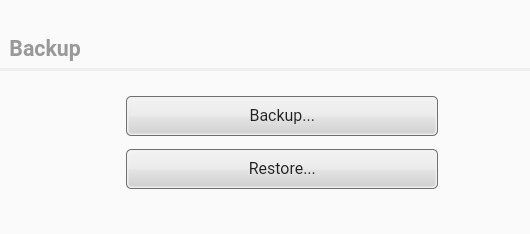
Creating a Backup file
-
Open the Menu panel and go to Settings
-
Scroll down to the Backup Section
-
Tap the “Backup” button
-
A Backup dialogue box will appear that says, “Create a backup file of PointMan projects?” Click “OK”
-
Select where you would like your backup file to save on your device
-
Confirm that your backup file is saved correctly
- Note: The PointMan team will not be able to assist with locating the files saved to your device as the location is selected by you, the user.
Restoring Data from a Backup file
-
Open the Menu panel and go to Settings
-
Scroll down to the Backup Section and tap the “Restore” button
-
A Restore dialogue box will appear that says, “Restore PointMan projects from a backup file?
- WARNING: Restore will rollback any changes/updates made after the backup file was created, including any new Local projects created after the backup was made. Create a new backup file if needed before proceeding with the restoration process.
-
Click “OK”
-
Find the backup file that was saved previously and tap to select that file
-
Once the restore is complete, a Restore dialogue box will appear that says, “Restore Complete. Restart required.”
-
Tap “Close” and the PointMan app will close out
-
Launch the app again and verify that your data appears to be accurate and complete
Troubleshooting
Note about Uninstalling PointMan: If you are a PointMan Mobile License user, uninstalling the PointMan app will remove all project data stored on your device. It is important to backup any project data before uninstalling the mobile app.
For questions or issues, please fill out the request form (https://pointman.com/custom-support/) or send an email to [email protected] and include the following:
-
Brief description of what you are experiencing
-
Include screenshots / screen recordings showcasing the issue if any
-
Include supporting data files showcasing the issue if any
-
The devices you are using and if you have anything set in the GPS settings
- ex: GPS, Locator, Mobile Device, EPSG, Correction Service, etc.
-
List of steps that were already taken to troubleshoot the issue
The PointMan Support Team is available from 8:30am to 4:30pm MT Monday through Friday.