-
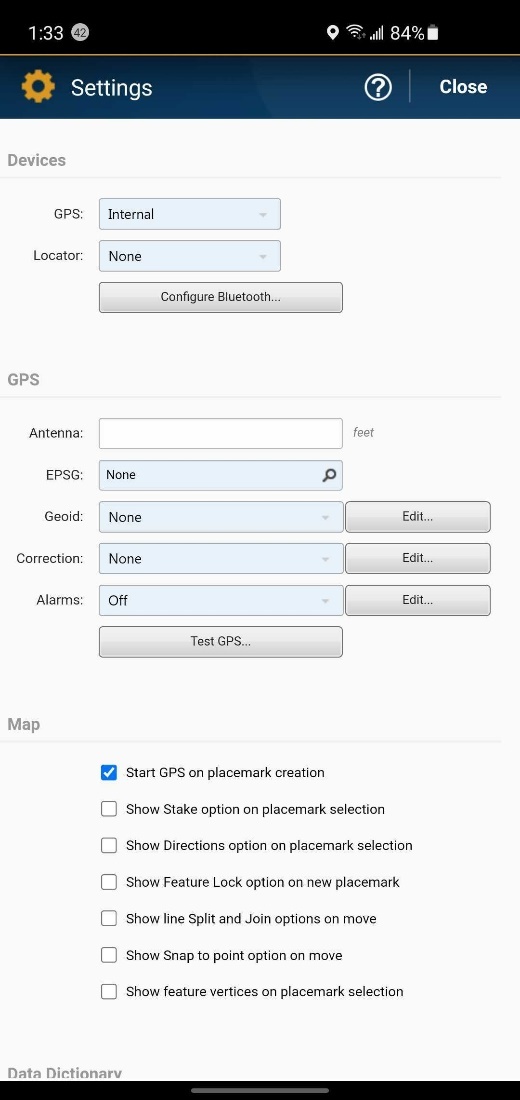
Open the settings in the PointMan app.
-
Scroll down to the GPS section.
-
Tap Edit to edit Alarms.
-
Add options for the alarm.
-
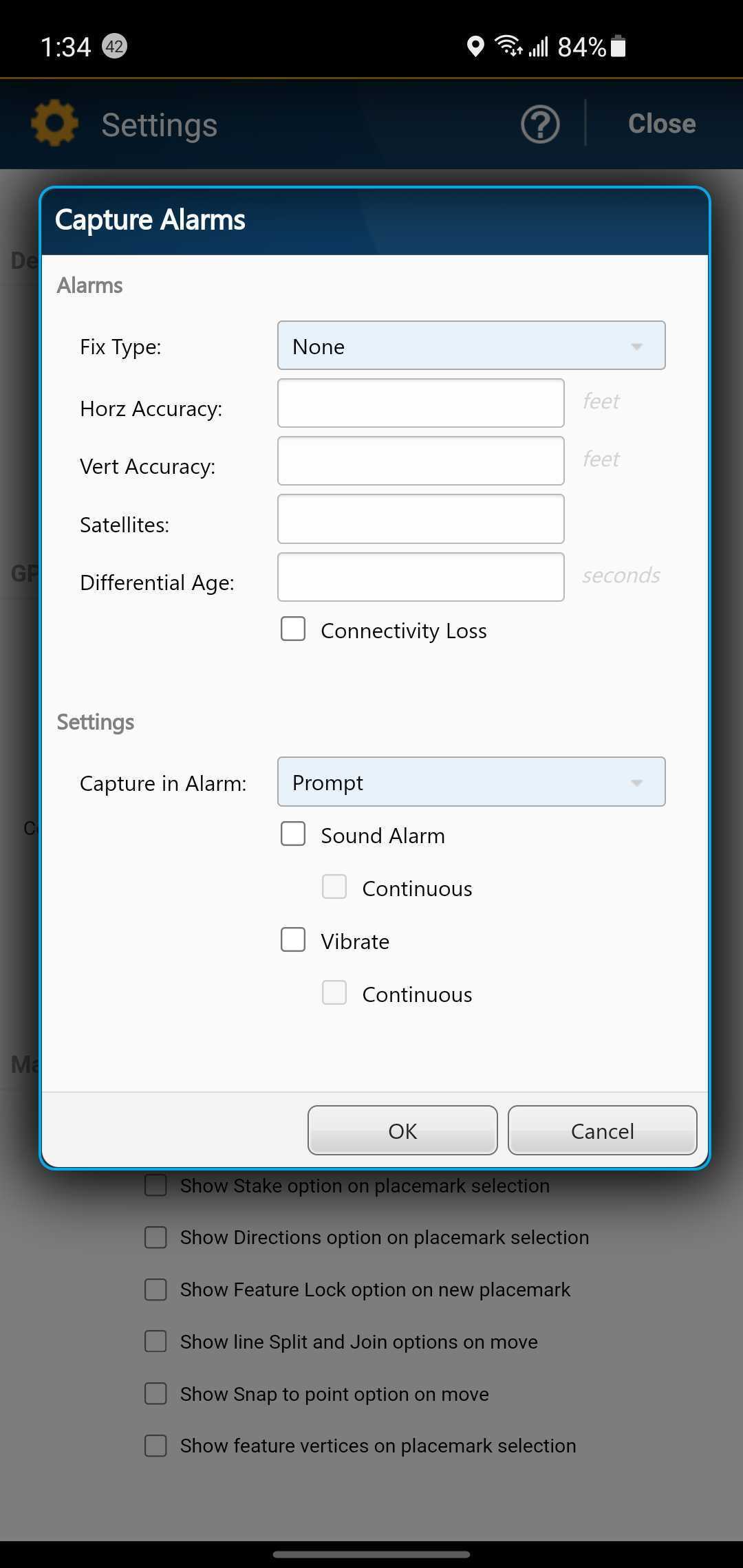
Fix Type – the fix type the you at least need. The lower you go, the more accurate it is.
-
Horz Accuracy – the minimum horizontal accuracy that you need.
-
Vert Accuracy – the minimum vertical accuracy that you need.
-
Satellites – the minimum number of satellites that you need.
-
Differential Age – the minimum number of differential age that you need.
-
Connectivity Loss – if this is on, you have to have some cellular or Wi-Fi connections.
-
Capture in Alarm
-
Prompt – it warns you before saving.
-
Save – this will let you save without any warning.
-
Don’t Save – this will not let you save if there are any warnings.
-
-
Sound Alarm – warning with or without sound.
-
Vibrate – warning with or without vibration.
-
-
Tap OK to save.
-
Turn on the Alarms to enable the alarm.
English
