
This documentation for Data Dictionary covers how to create a new Data Dictionary as well as how to create a new System and Component.
-
Login to PointMan Pro
-
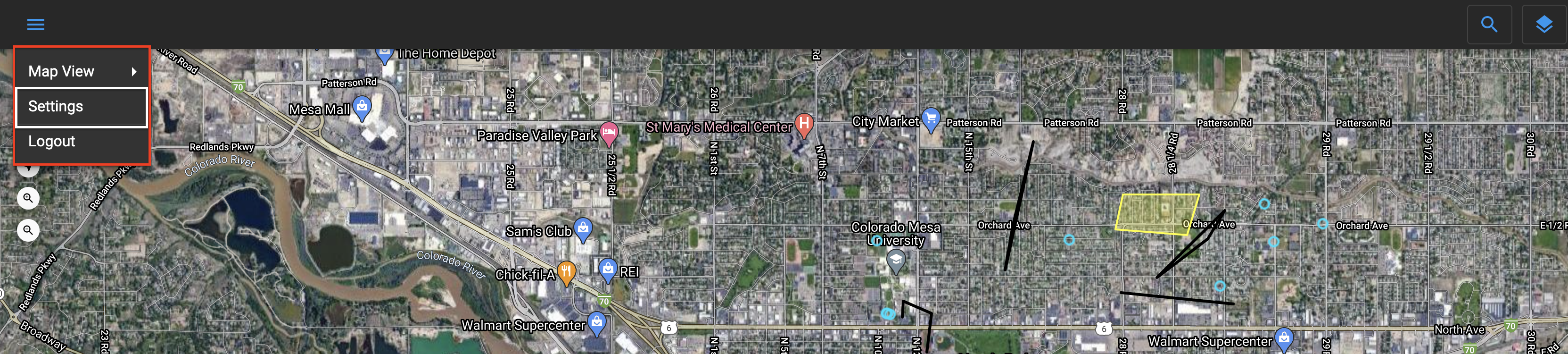
Select the Hamburger Icon and from the dropdown, select Settings
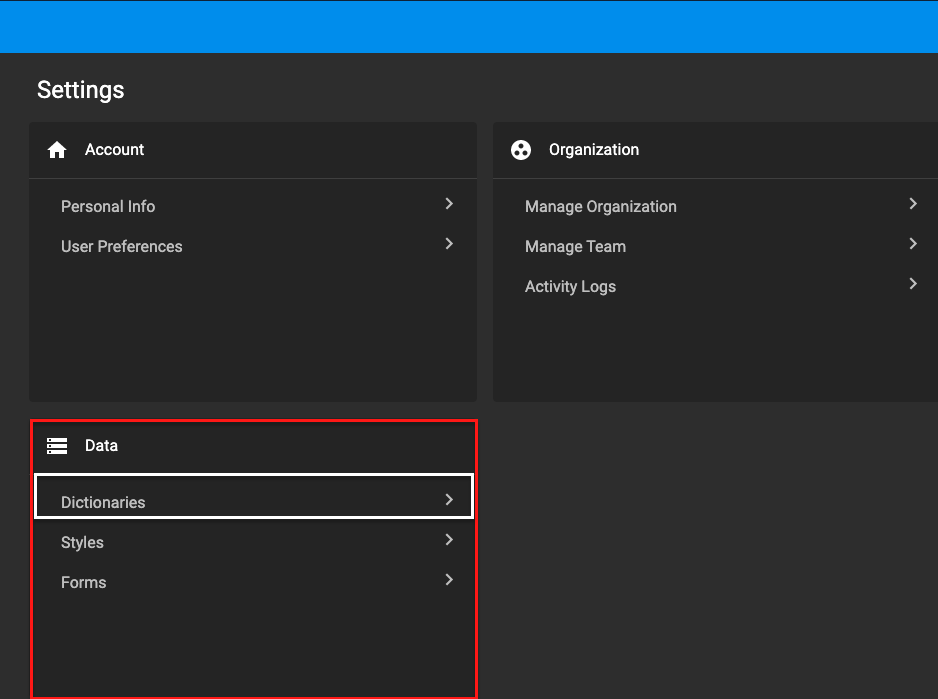
- Select the Dictionaries tab under the Data header
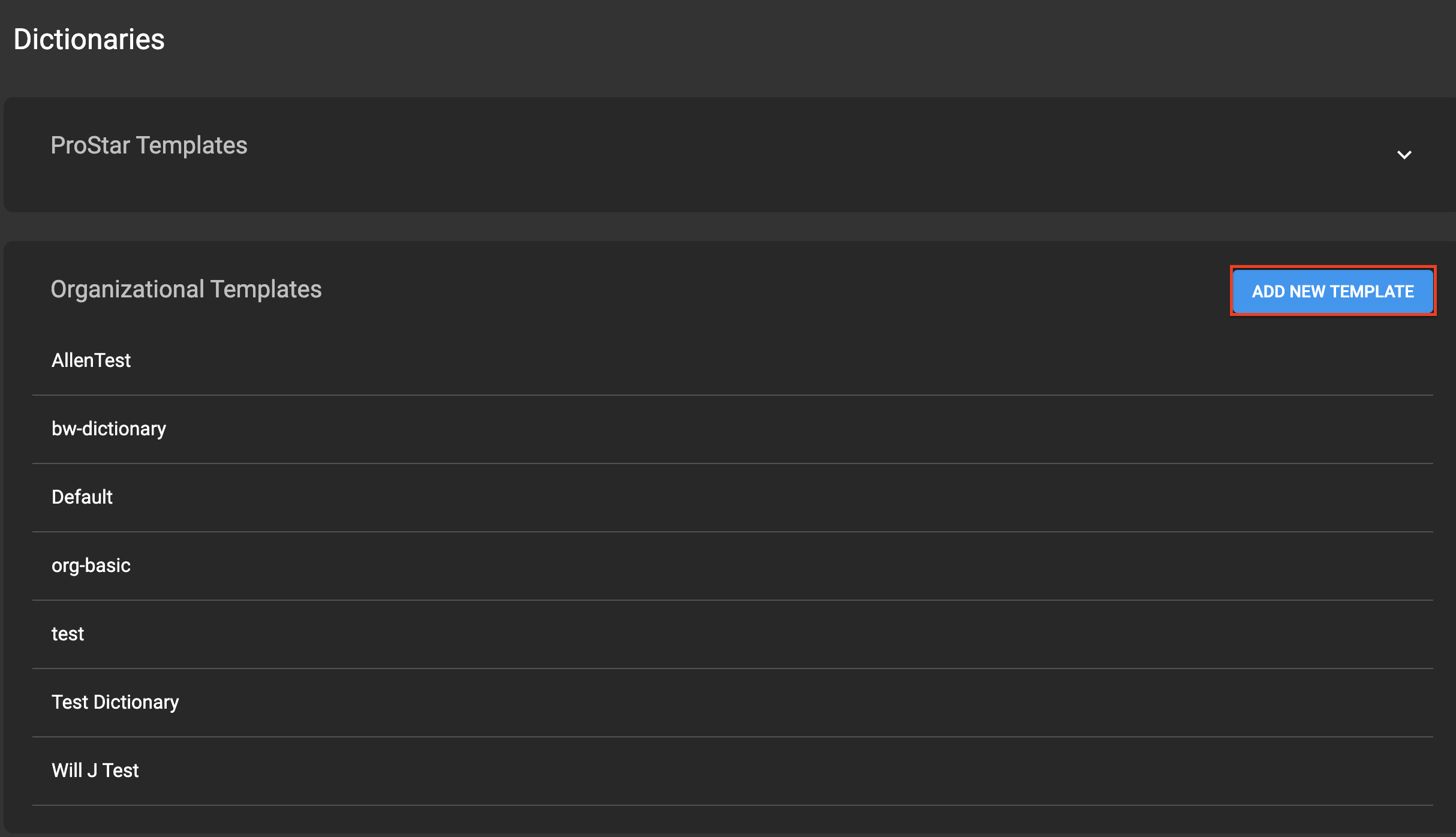
- Create an Organizational Template by pressing the Add New Template icon
-
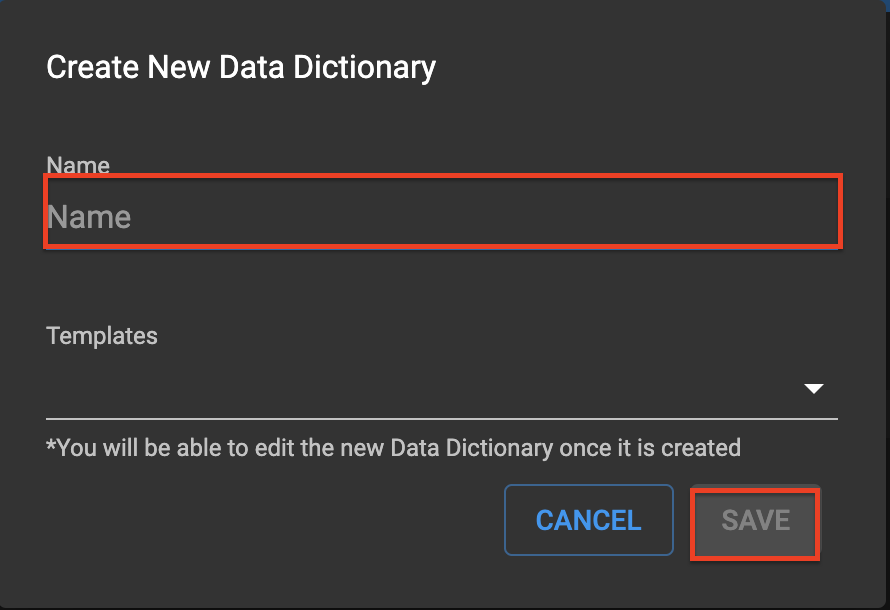
A new dialogue appears, fill out the name and the template that you would like to chose
-
Ensure the new Data Dictionary has a unique name, two Dictionaries of the same name are not valid
-
You may choose the premade, which copies the Systems and Components into the newly created Dictionary
-
Once you have picked the name and template, click Save
-
You will be directed to the Dictionary layout
-
Add a new System or Component by selecting the + icon next to the title headers
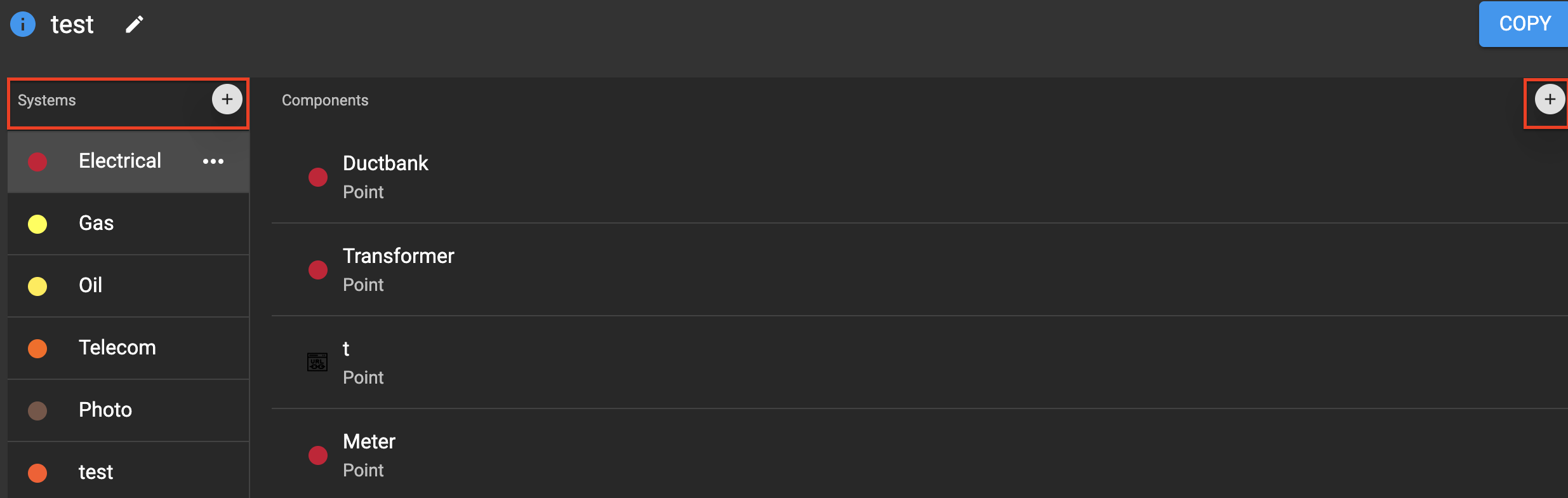
-
Select the + next to the Systems
-
A new dialogue appears, give the System a name and a color
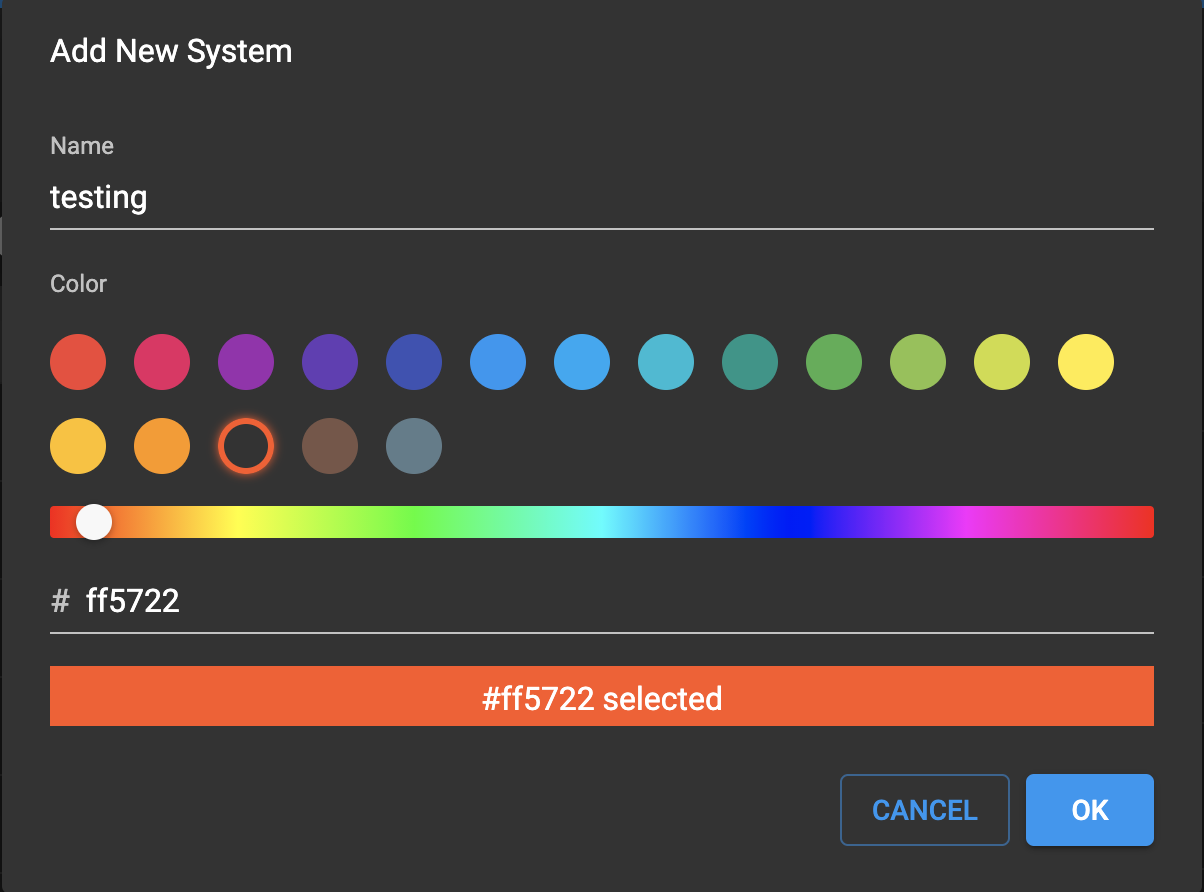
-
Once you press OK, the page updates and a notification will show at the bottom of the page with a text, System added successfully
-
Add a Component by clicking the + icon next the Components header
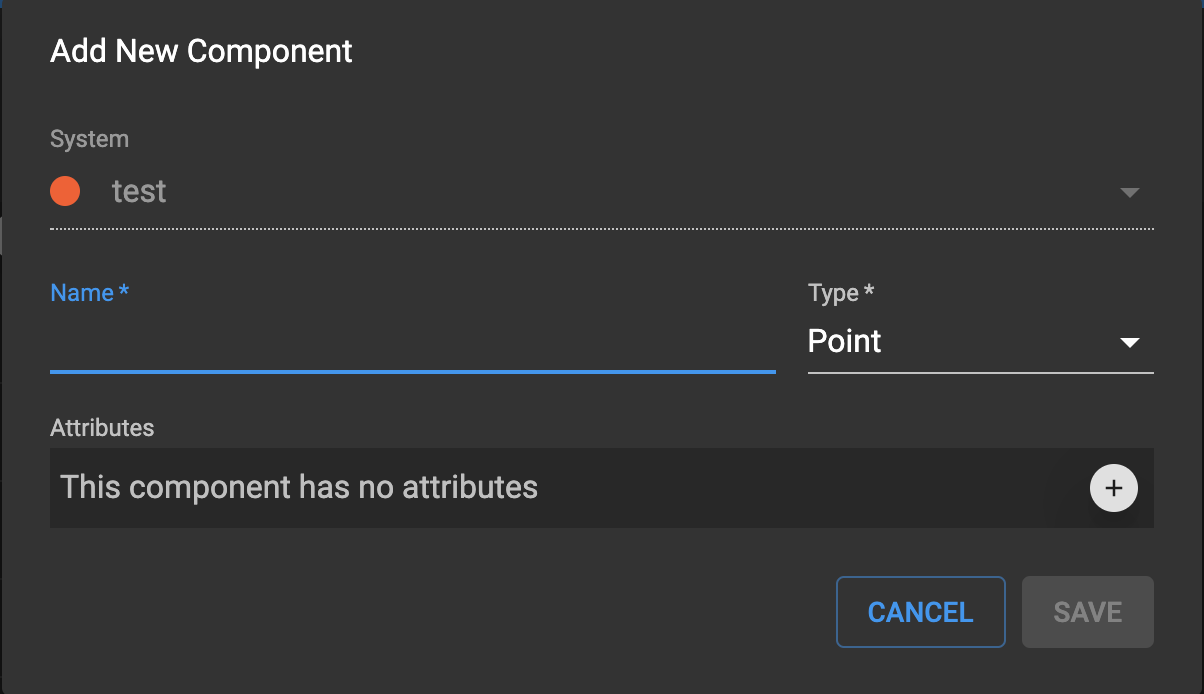
-
Add a name and select the type of feature.
-
Optionally add an attribute by selecting the + icon next to the Attributes header
-
Give the attribute a name, select the type of attribute you would like. Learn more about attribute types here.
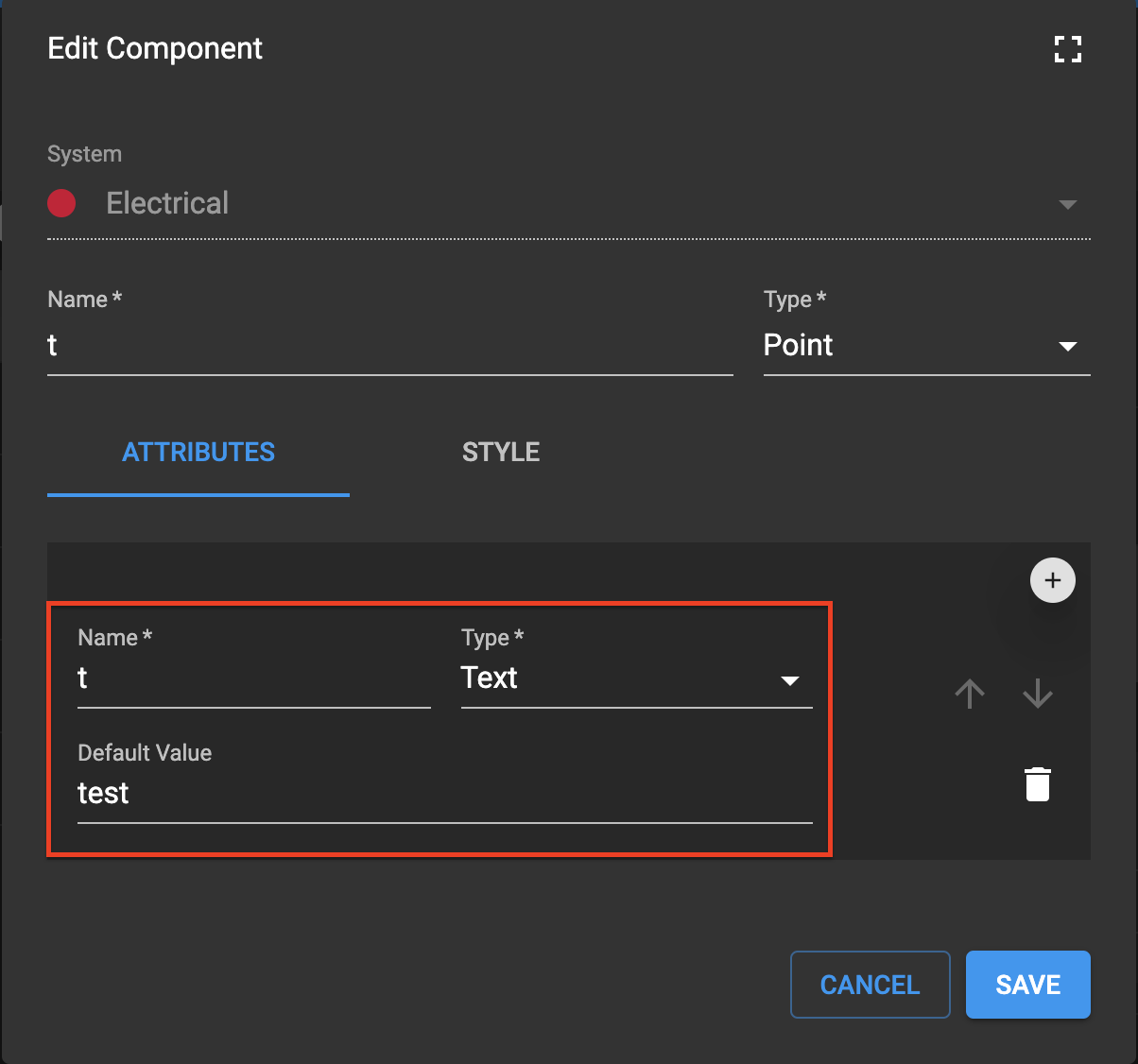
-
Save the new Component
-
You may add as many components as you would like to your new system.