This documentation for Data Dictionary covers how to use the Copy feature within a data dictionary.
-
Login to PointMan Pro
-
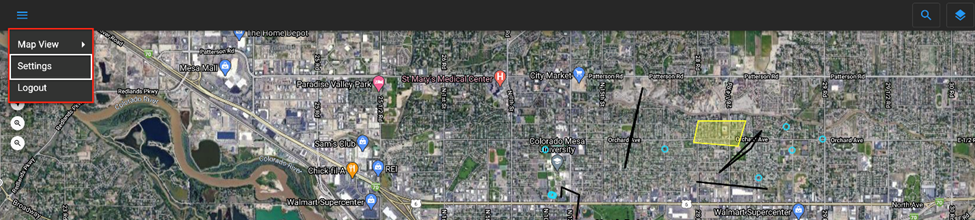
Select the Hamburger Icon and from the dropdown, select Settings
-
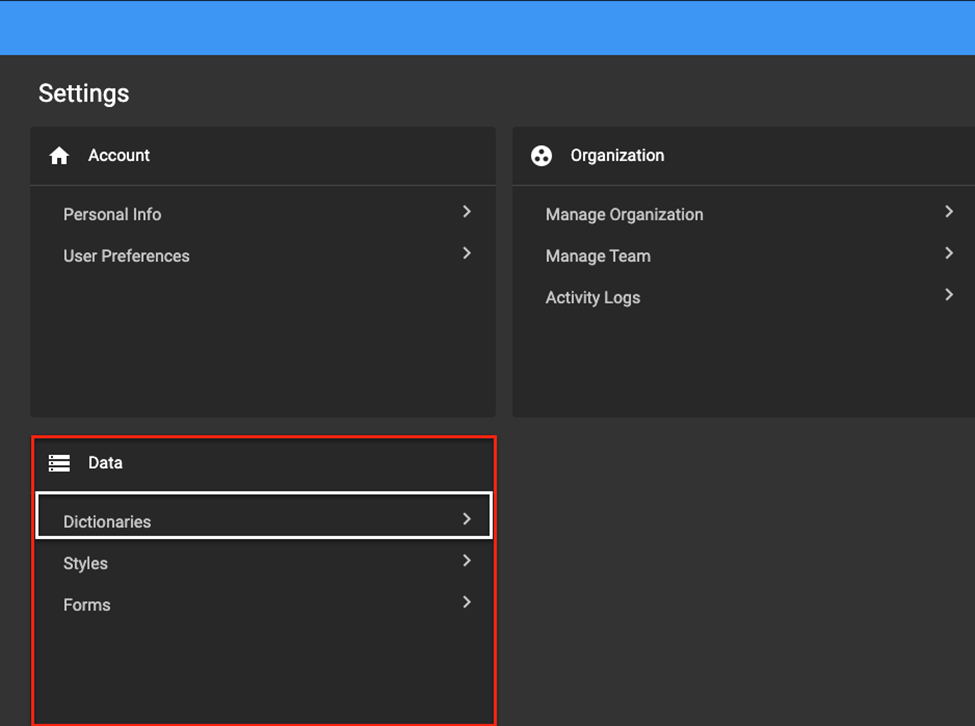
Select the Dictionaries tab under the Data header
-
Once the Dictionaries page has been opened, scroll through the list of dictionary templates and click on the one that you are looking for.
-
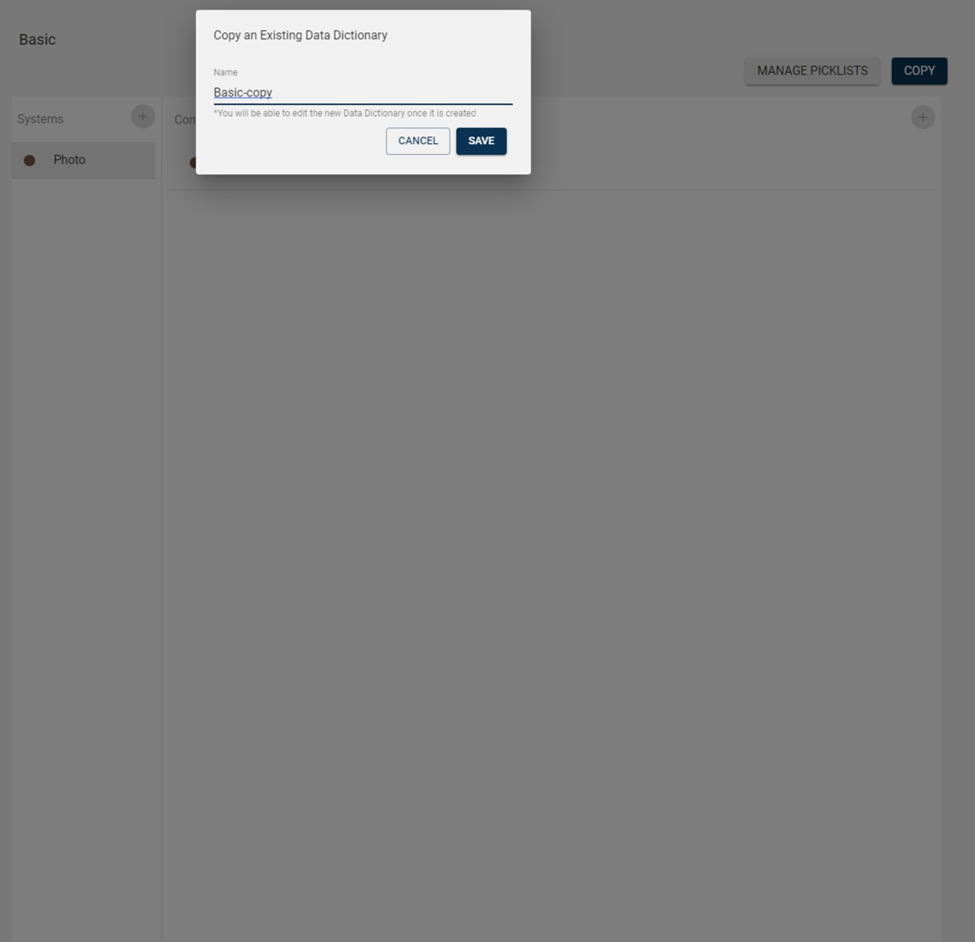
The dictionary will open, and you will see a Copy button in the top right corner of the screen.
-
Click Copy and the following menu will appear
-
Enter in a name for this copy and click Save. This will copy the template to the Organizational Templates section of Dictionaries.
-
From here edit the copied dictionary as needed.